


Manage who can get access to your Assuredly account.
Provide access to internal people, consultants, auditors, suppliers and/or clients or third parties who you wish to have access to your account.
There are four roles within the Assuredly platform:
When a person is assigned one of these roles they get the following access:

Tips:
1) Email address must be a corporate Microsoft or Google account.
2) Email addresses are case sensitive.
If you are providing your client access to Assuredly your company will need to have an enterprise agreement in place with Assuredly and your client will need to accept the end user license agreement when signing in.
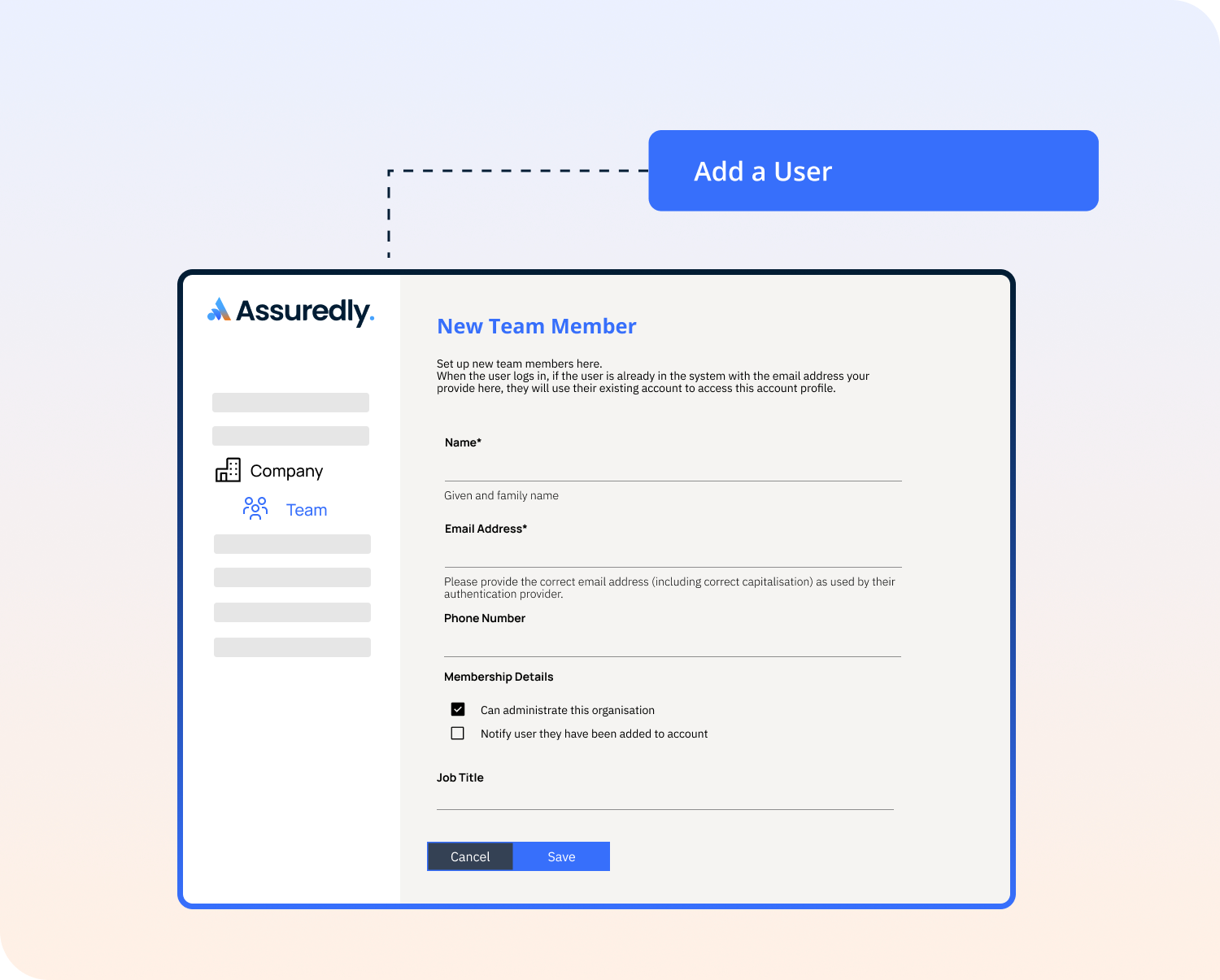
Select whether you want Users to be notified about being added to the account by Notifying Users When They are Added to an Account

When you create an email address in Microsoft 365 with capital letters it will revert the email address to lower case. Various email systems decide how to treat capitalisation, grammar and punctuation. As we leverage your authentication system to verify your user access the email address used to log in must match the authentication system.
If you see this message it means that the users details cannot be corrected in the Assuredly platform but only by the user themselves or in the organisations user account system.
This user is linked to a Google of Microsoft Account. For security purposes, their contact details can only be updated by: - <name> themselves - The administrator of the account within the Google or Microsoft service.
If a user attempts to use a capitalised or otherwise formatted version of their email address we will recognise them and let them know they need to ask their administrator to update their email address under Company/Team to the correct email address. If they have never logged in before then the user account is unclaimed. While the user account is unclaimed the administrator of the account can update their email address.
Why can a I send an email to an email address but Ineed it to be in different capitalisation in Assuredly?
Can I access Assuredly with incorrect capitalisation?
Why do I need to create Assuredly account in correct capitalisation?


