

Assuredly's Privacy Reasonable Steps Assessment helps organisations measure their compliance with the reasonable steps required under the Australian Privacy Act 1988 (Cth). The assessment is guided by the Office of the Australian Information Commissioner's (OAIC) Guide to Securing Personal Information, which the OAIC uses when investigating whether an entity has met its personal information security obligations.
There are 3 ways to view the results of your assessment on the Assesmsent Dashoard.

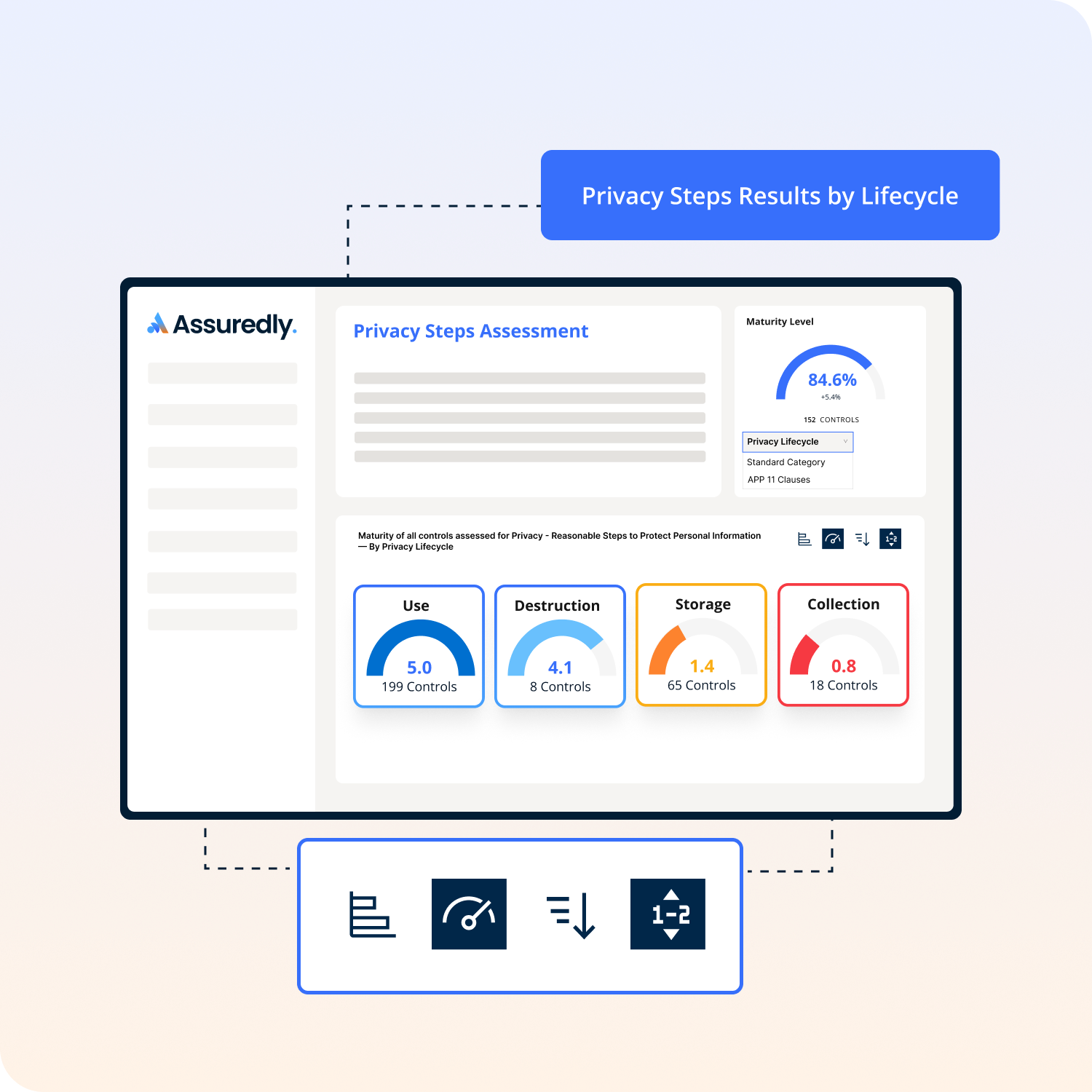
Personal information moves through a lifecycle within every organisation — from the point it is collected, through how it is used and stored, through to its eventual destruction or de-identification. The OAIC's Guide to Securing Personal Information addresses obligations across all of these stages.
Assuredly has tagged controls in the Privacy Reasonable Steps assessment with the lifecycle stage they relate to. The four lifecycle stages are:
Tip: If you log out or you switch devices, you may need to reselect your preferred grouping
Australian Privacy Principle 11 (APP 11) requires entities to take reasonable steps to protect personal information from misuse, interference, loss, and from unauthorised access, modification, or disclosure. APP 11 is further broken down into specific sub-clauses, each addressing a different aspect of how personal information should be protected.
Assuredly has tagged each relevant control in the Privacy Reasonable Steps assessment with the specific APP 11 sub-clause it relates to. This allows you to see — at a glance — which parts of APP 11 each of your controls and risks supports.
Why this matters
Note: The exact list of APP clause tags is built into the Assuredly taxonomy. Not every control maps to an APP sub-clause — some controls relate to broader governance or training requirements
Tip: If you log out or you switch devices, you may need to reselect your preferred grouping
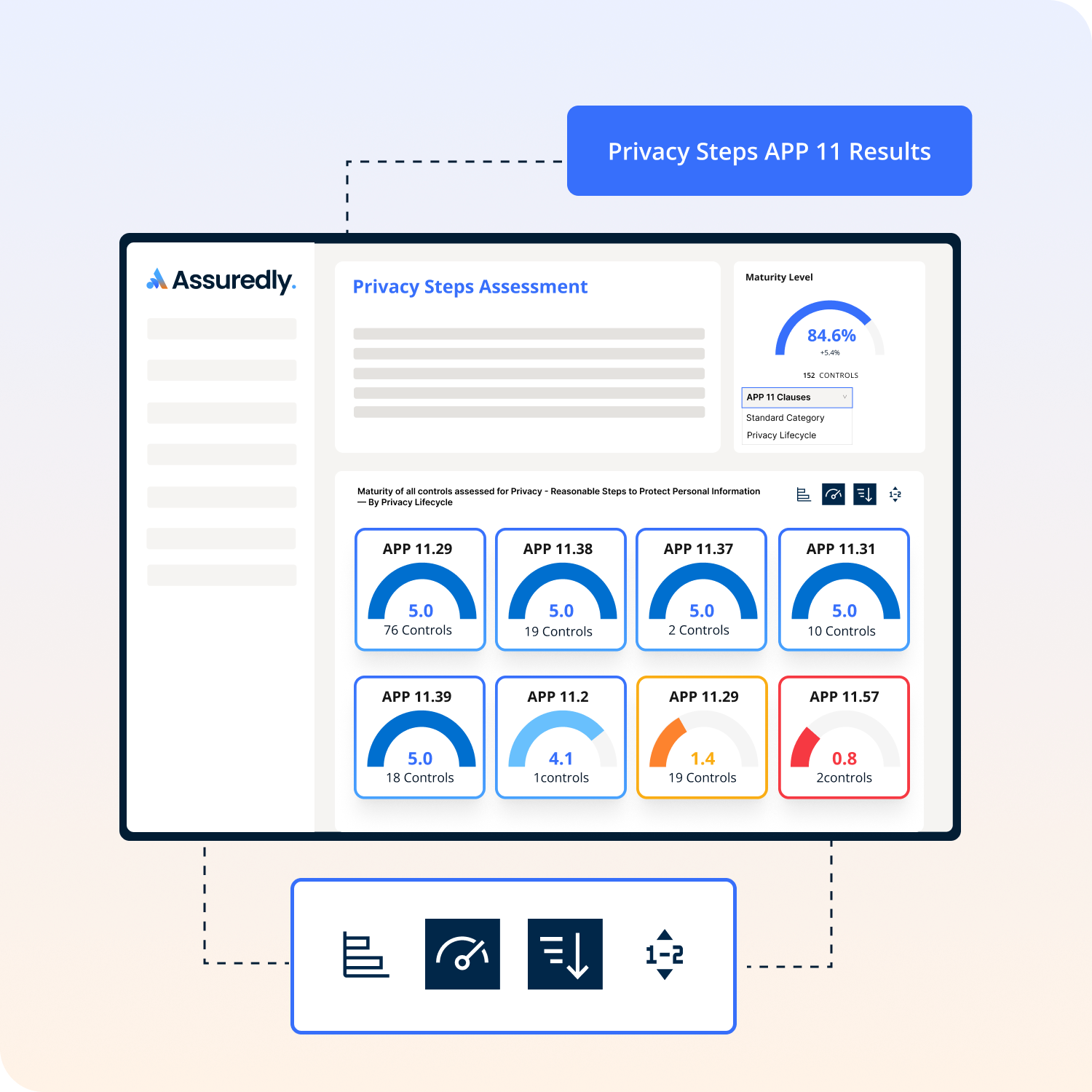
Not every control in the Privacy Reasonable Steps assessment maps to a specific APP 11 sub-clause. Controls relating to general training, workforce management, or internal governance practices operate across the whole privacy program rather than within a single clause.
Not in the dashboard but you can in Reports. Read more about creating a Priavcy Report here.
If you use a different browser or device, you may need to re-select your preferred grouping.
No. The taxonomy tags are applied by Assuredly to controls in the background and do not change how you complete the assessment. They only affect how results are displayed and grouped in your dashboard and reports.
APP 11 is the Australian Privacy Principle that requires entities to take reasonable steps to protect personal information. The sub-clauses (e.g. 11.13, 11.17, 11.27) refer to specific paragraphs within the OAIC's Guide to Securing Personal Information that set out examples of those reasonable steps. Assuredly uses the OAIC's guide numbering to provide precise traceability.


